 Sim racing companion
Your tablet,
a live button box.
Real-time telemetry in, real controls back out. DPM turns a spare tablet or phone into an adaptive dashboard and button box for Assetto Corsa Evo, ACC, AC Rally, Forza Horizon 6 and Le Mans Ultimate — over your own Wi-Fi.
APK available now — coming soon on
Up and running in minutes
No wires between the PC and tablet, no IP addresses to type in. They find each other on your network and stay in sync.
Install the Agent
Run the free DPM Agent (User Edition) on your gaming PC.
Same Wi-Fi
Put the PC and tablet on the same network. DPM auto-discovers it — no IP typing.
Start your sim
Launch the game. The app finds the Agent automatically and connects.
Drive
Telemetry streams in; your button presses go straight to the game.
Auto-Discovery
DPM finds your Agent the instant it's online. No setup, no configuration.
Multi-Rig Ready
Running the Agent on more than one PC? Choose exactly which one to connect to.
One-Touch Connect
Press and hold the Agent icon to instantly disconnect or reconnect.
Manual Fallback
IP address and port entry is there as a backup connection method, as needed.
The Agent reads. The app reacts.
The app works on its own for setups, rosters and lap records. Add the free DPM Agent on your PC and it unlocks live telemetry and full button-box control.
DPM Agent - User Edition
A small, free Windows app. It reads the sim's shared memory and broadcasts it on your local network — then delivers your control presses back into the game.
- Auto-discovery — no IP typing
- Runs quietly in the system tray
- Sends keystrokes straight to the sim
Adaptive BB
The screen you actually drive with. Live gauges, tyre and brake state, timing and flags — plus a full button box for everything you'd reach for mid-stint.
- Ignition, pit limiter, lights, wipers
- TC, ABS, diff, engine maps, DRS
- Car & track rosters, setups, more
Built for the cockpit
Every screen is designed to be read at a glance and tapped without looking twice.
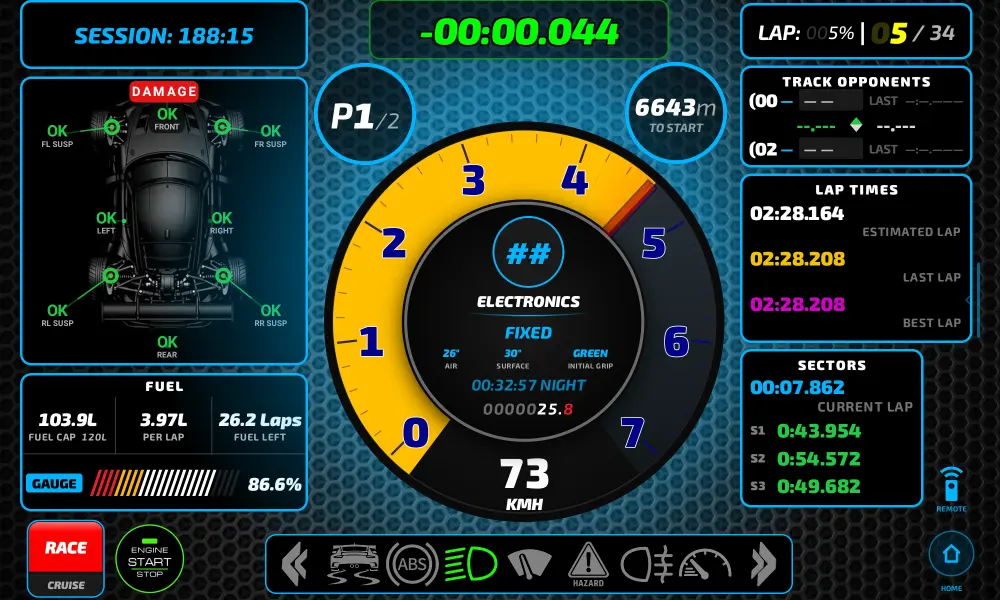
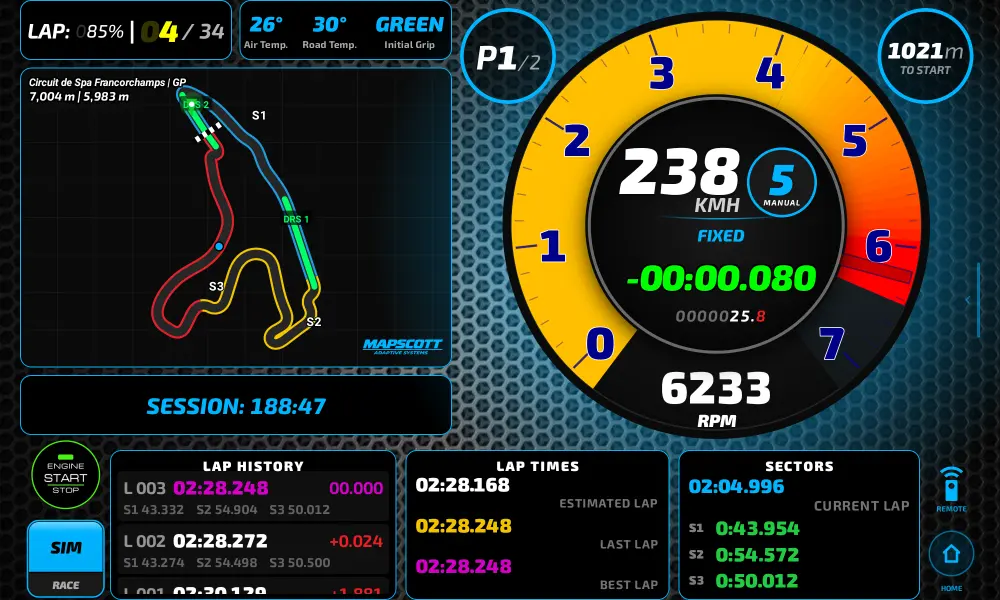
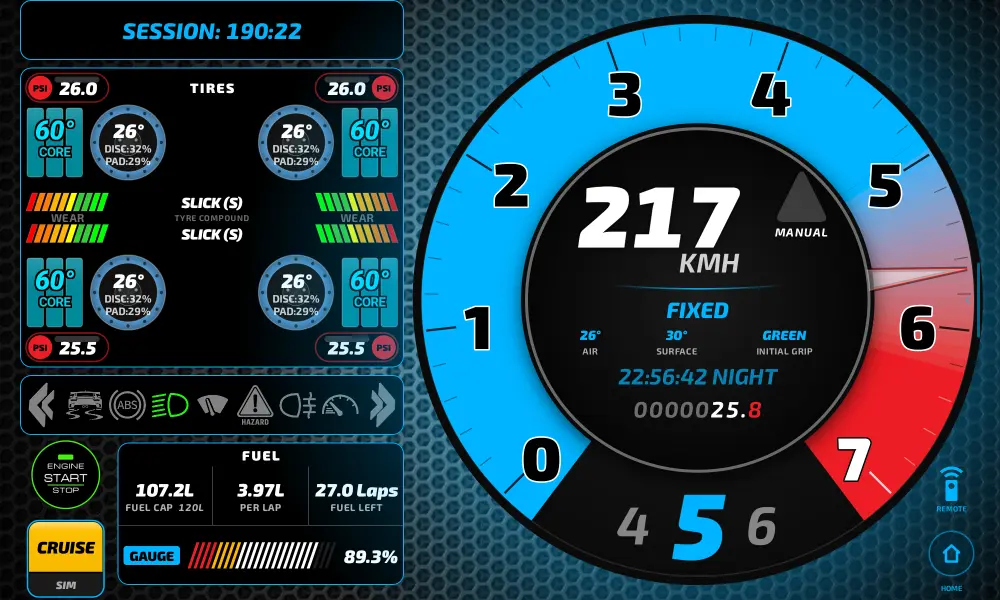
Three dashboards, one screen
DPM adapts the entire dashboard to how you're actually driving — not just what's on screen, but what's on it.
- Cruise Mode — built for open-world driving; no lap timers or race logic in the way.
- Race Mode — full lap timing, live delta, track position and race controls.
- SIM Mode — full timing and instrumentation plus pit-lane tools, for no-compromise sim racers.
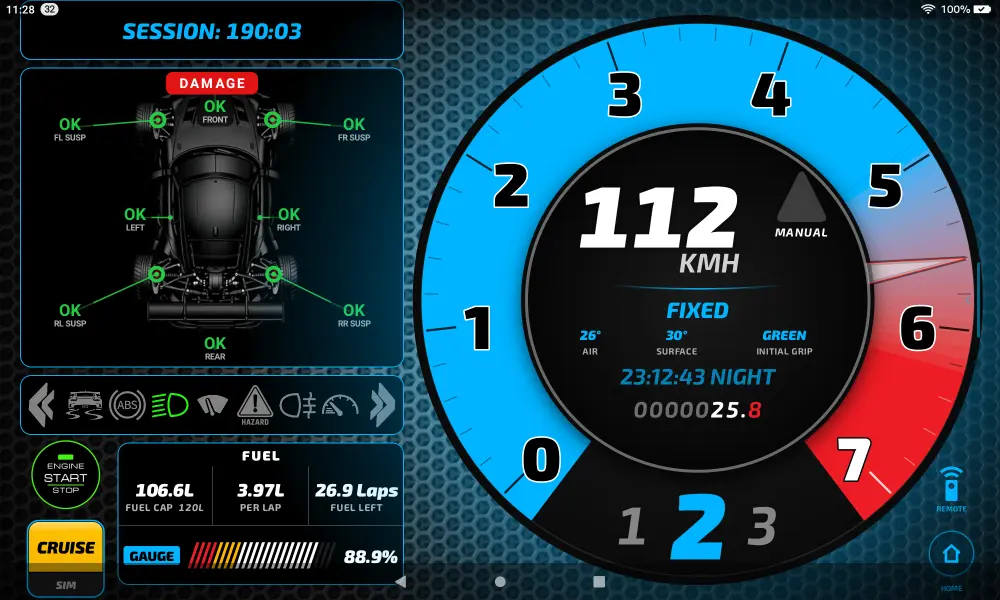
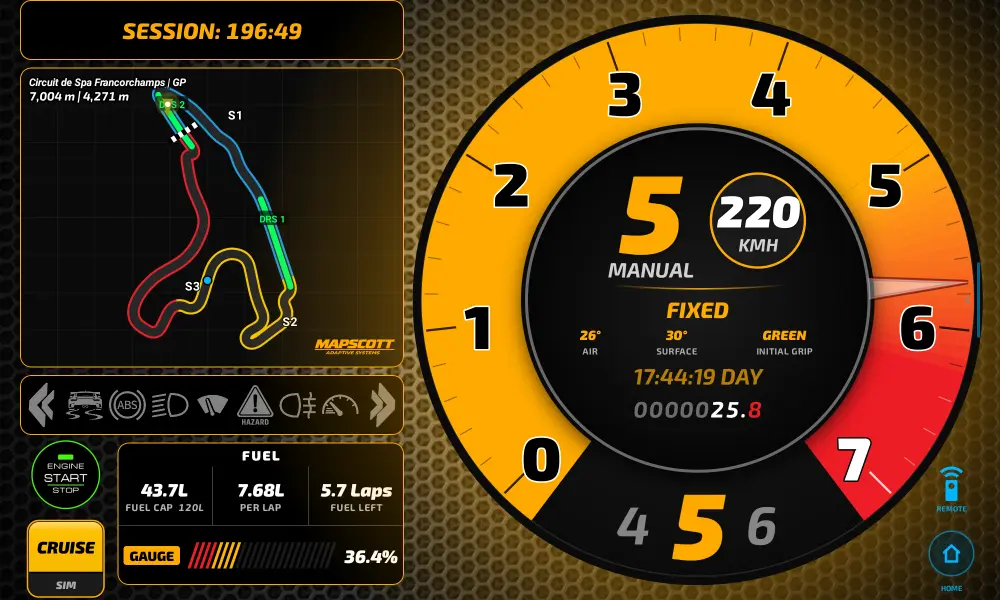
Controls that adapt to your car
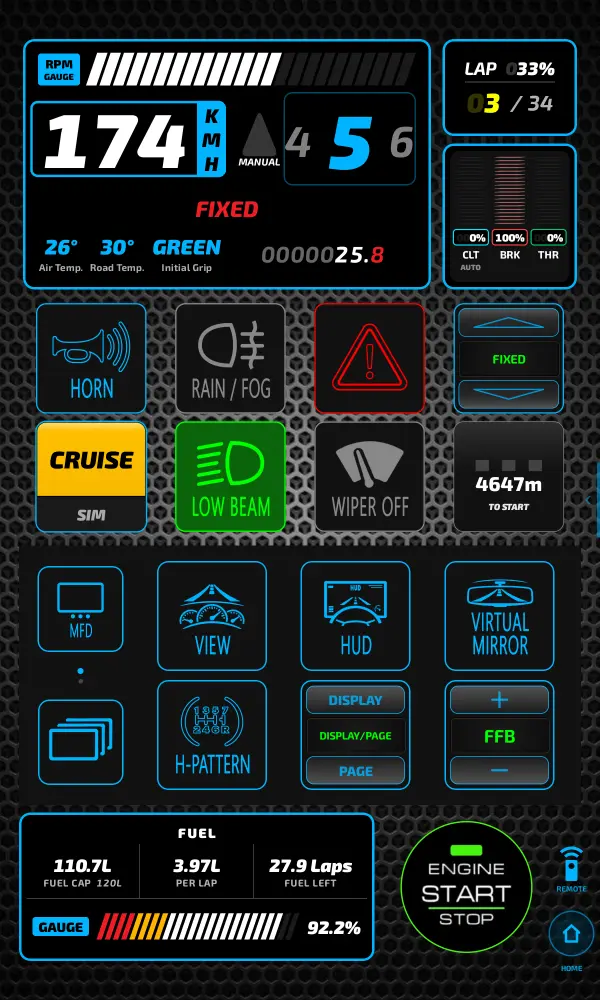
A fully adaptive cockpit control system that replaces expensive hardware with pixel-perfect touch controls. The layout adapts to the game you're playing and the car you're driving, showing you only the controls that actually apply.
- Game-Specific Intelligence — native control grids for each supported title.
- Dynamic Physical Logic — multi-stage ignition/starter, tactile lights, wipers and pit-limiter.
- One-Tap Game Launcher — launch, with live running-state and safe close.
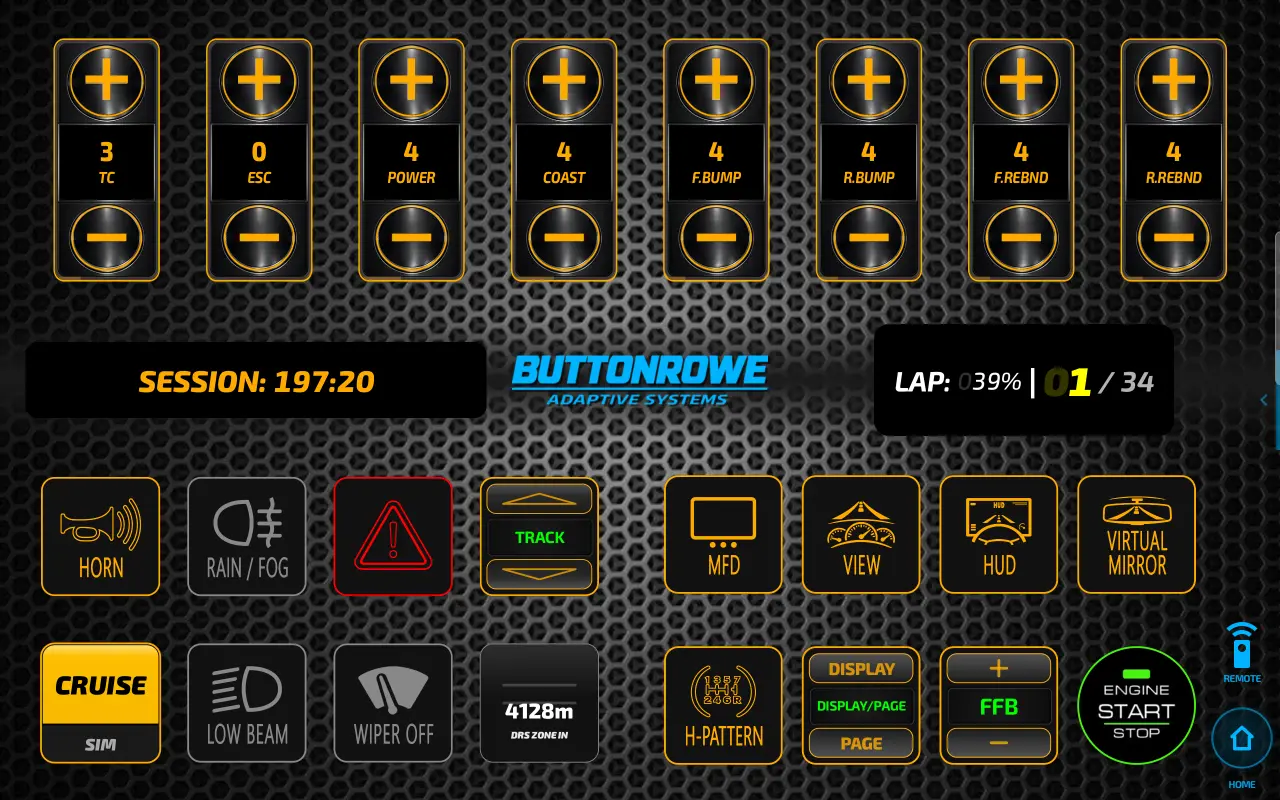
All controls, no compromise
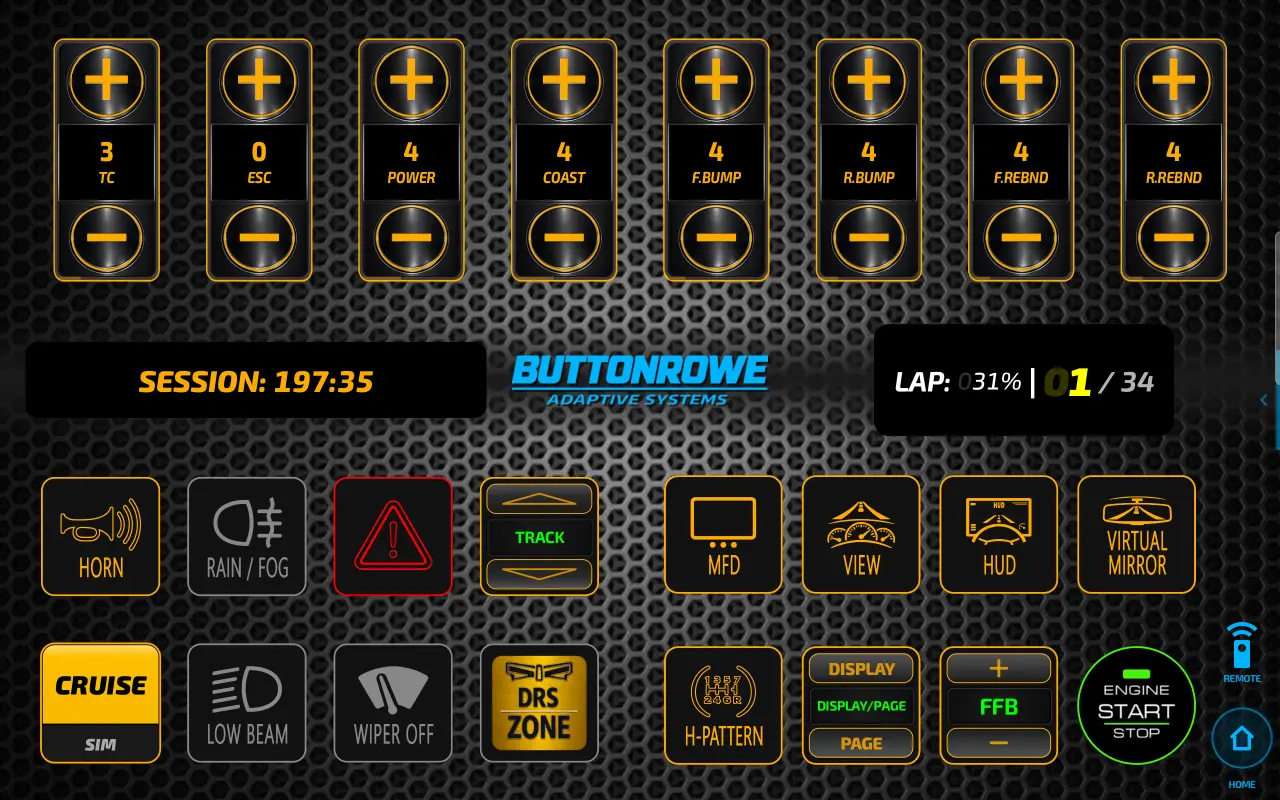
The adaptive button box, stripped down to pure control. ButtonRowe removes the telemetry carousel entirely, dedicating the full screen to buttons — for drivers who want maximum control density, adjusting traction control, ABS, brake bias and ERS maps mid-corner without hunting for a shared panel. Same adaptive intelligence underneath, just built for drivers who want nothing but buttons.
The home of live track mapping
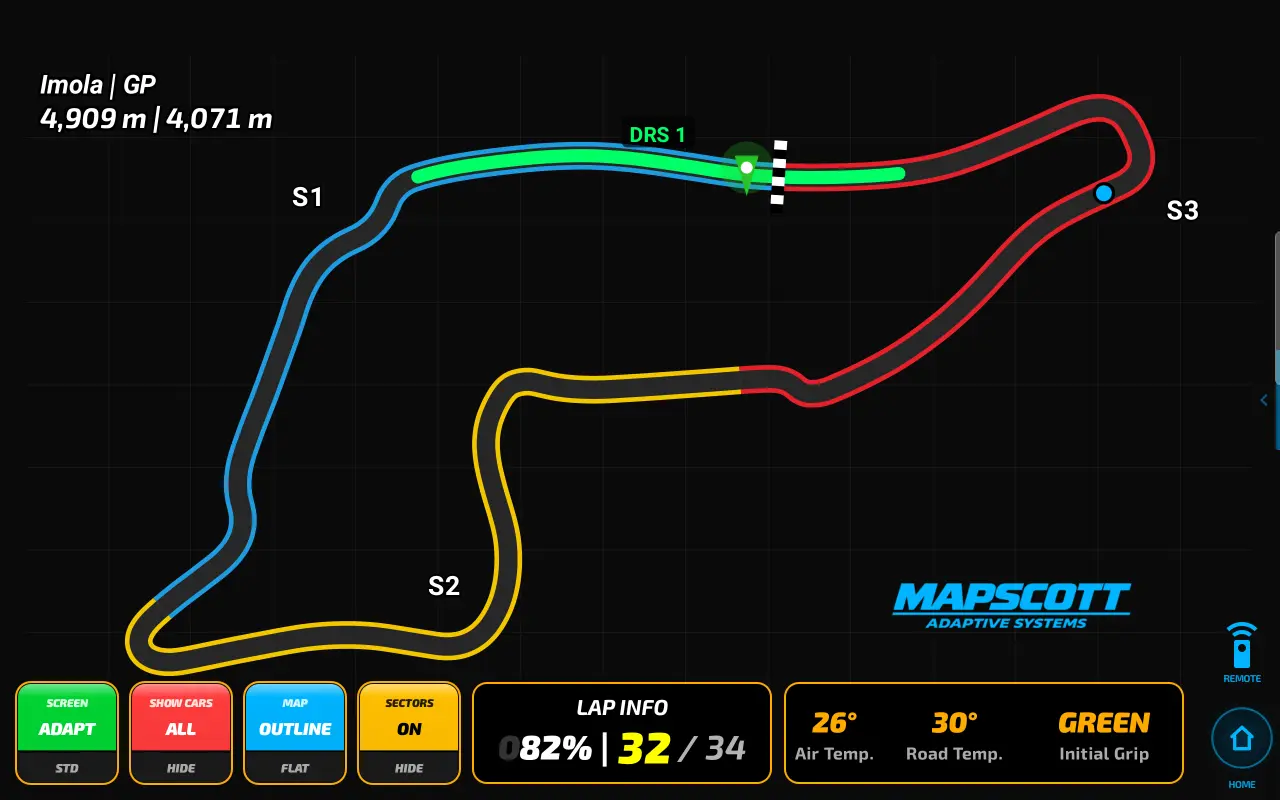
MapScott is DPM's dedicated full-screen home for live track mapping — built to give the map the space it deserves. See your car's real-time position on the circuit, track nearby opponents, and dial in a view mode that suits how you want to race, paired with the lap detail that makes a map actually useful mid-session: sector splits, DRS zones, and lap timing at a glance.
The same live map also travels with you, surfacing in your dashboard carousels — but MapScott is where it comes into its own.
A dashboard that thinks ahead
Dual customizable carousel slots swap between Tyres, Damage, Timing and the Car Card — and DPM knows when to switch for you.
- Snaps to Fuel automatically on a low-fuel warning.
- Damage widget instantly prioritized on collision.
- Auto-navigates to Flags on yellow, blue or green.
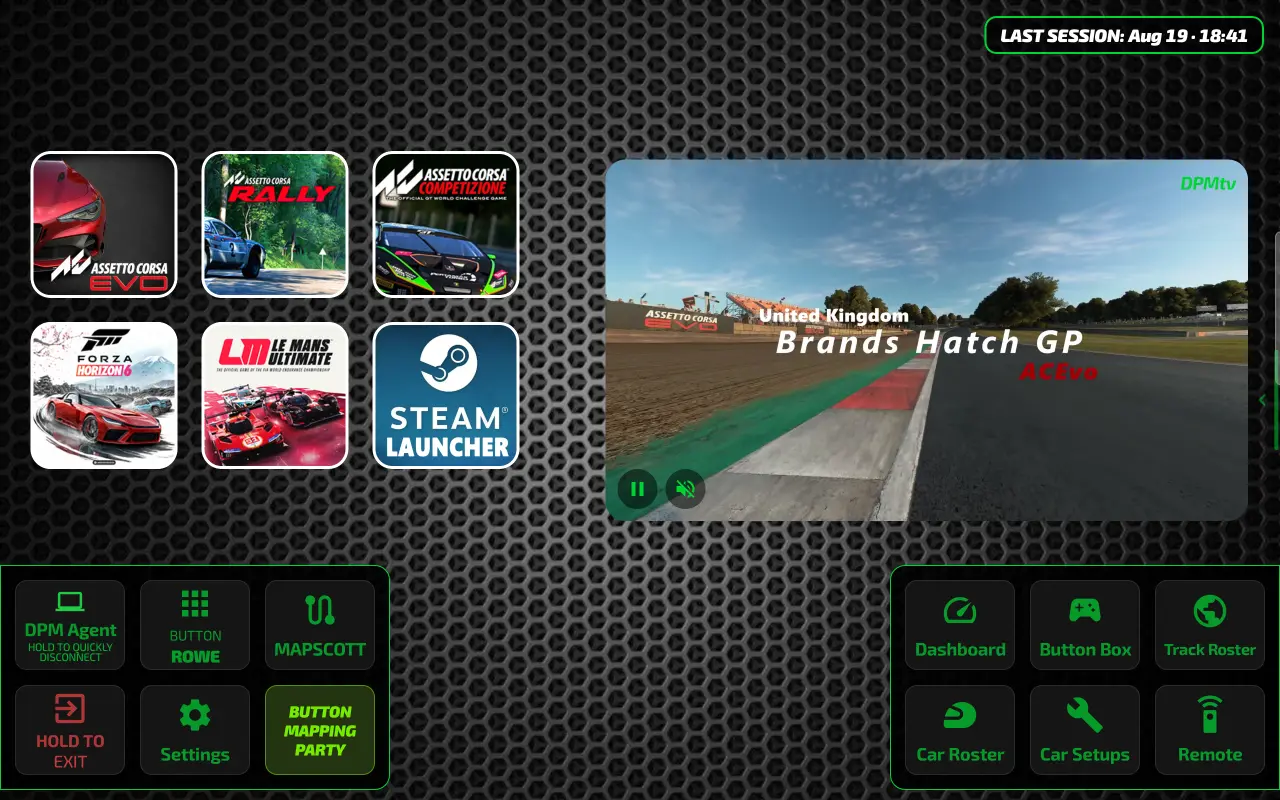
Button Mapping Party
Assign your wheel's buttons directly to DPM's controls — no more reaching past your wheel rim mid-corner. For supported titles, the same screen also helps you configure in-game keybinds where needed.
Assetto Corsa Evo
Full keyboard-file access. Load the app and you're ready to go — no extra setup required.
Zero setupAC Rally, LMU & Forza Horizon 6
DPM maps what it can to default keys, but a bit of one-time setup in-game is needed to unlock every button box feature.
One-time setupForza Horizon 6 Telemetry
The only UDP-based title — one extra one-time telemetry setup step in-game. DPM includes a full walkthrough video.
Walkthrough includedYour PC, from your cockpit
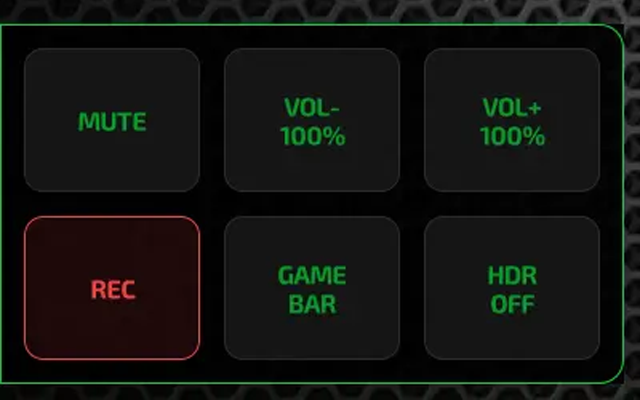
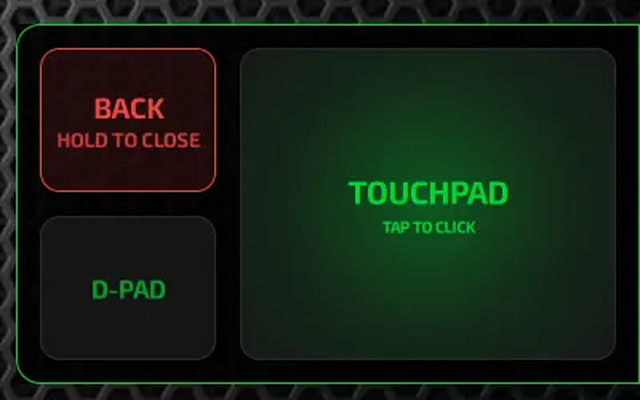
DPM's remote turns your tablet into a genuine PC remote — a D-pad and a touchpad built right into the app, pullable up on any screen.
- Touchpad works as a real Windows mouse replacement, not just in-game.
- System volume control and mute, right from your tablet.
- One-tap screen recording, triggered straight from your GPU.
- Live HDR toggle — it knows the current state, no guessing.
- Xbox Game Bar access — reaches the Windows tools you already have.
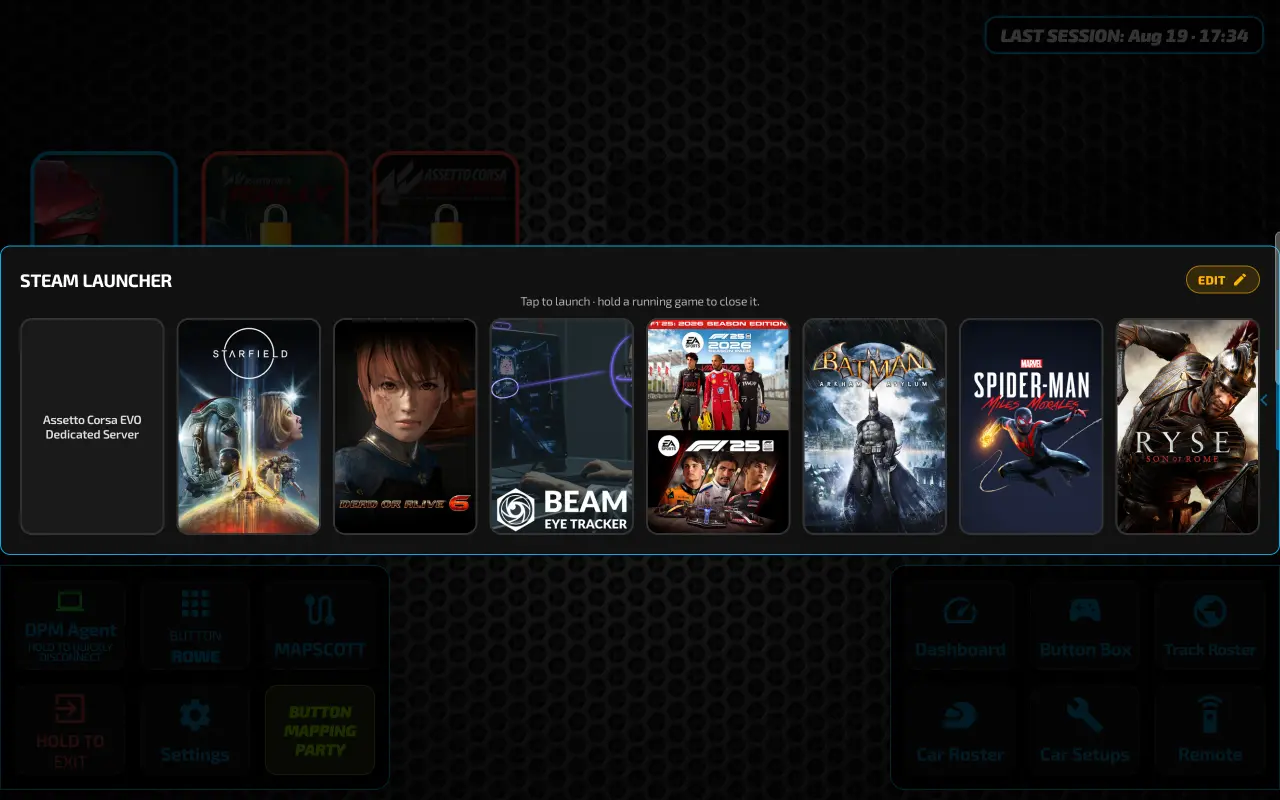
Built-In Steam Launcher
Launch your entire gaming setup without touching a keyboard or mouse — right from your tablet.
- Up to 16 games or apps — anything from your Steam library, not just sim titles.
- One-tap open & close — live running-state indicators, right from your screen.
- Built for more than racing — doubles as a general-purpose remote for your whole PC.
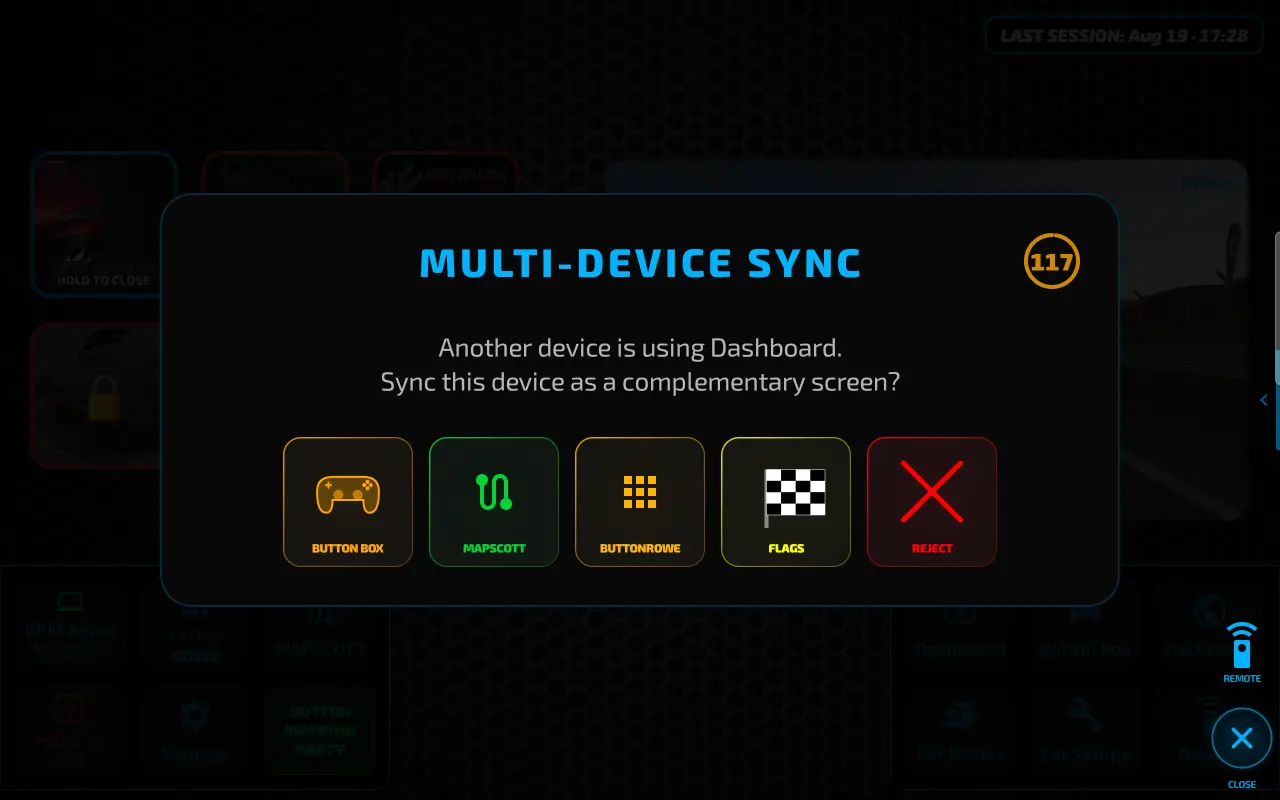
Connected Sim-Pit Ecosystem
Connect up to four tablets to a single DPM Agent, each one doing its own job: one dedicated to Flags, one to MapScott, one to the Button Box — however you want to build out your rig.
- Smart Device Prompts — a new device is offered a picker to launch straight into its screen, remembered every time it reconnects.
- Zero-Touch Wake — your dash wakes itself up the moment telemetry starts flowing or your game launches. No tapping, no unlocking.
Take it with you
DPM isn't just a screen bolted to your rig — it's a companion that goes wherever you go. Reconnect to your rig later, and DPM syncs everything straight into your game automatically.
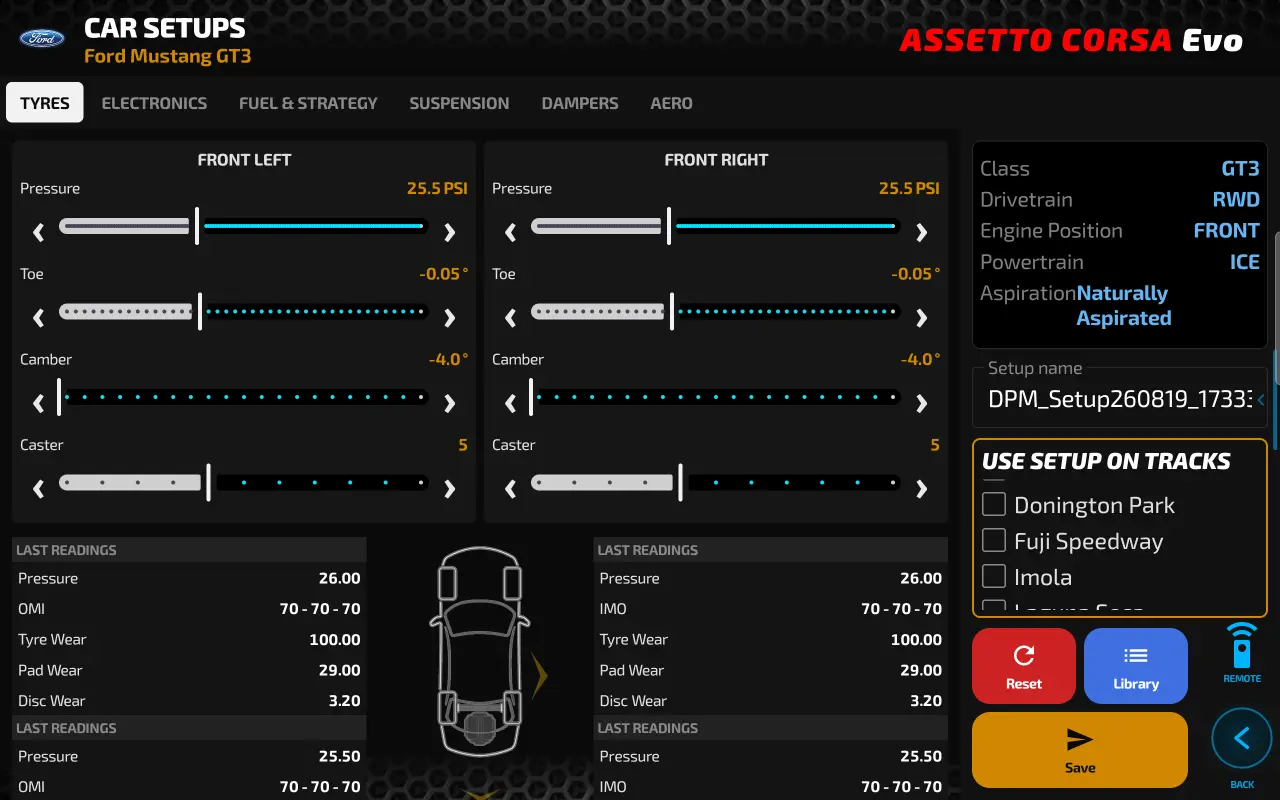
Setups on the go
Build or tweak a car setup anywhere, save it to your device, and the moment you reconnect to your rig, DPM detects it and installs it into the game for you. No file explorer, no folder-hunting.
- One-Tap Downloads — skip hunting for a website, downloading a file, then digging through folders.
- Multi-Track Deploy — send a setup to more than one track, or check "You Crazy?" and let DPM handle the rest across your whole track list.
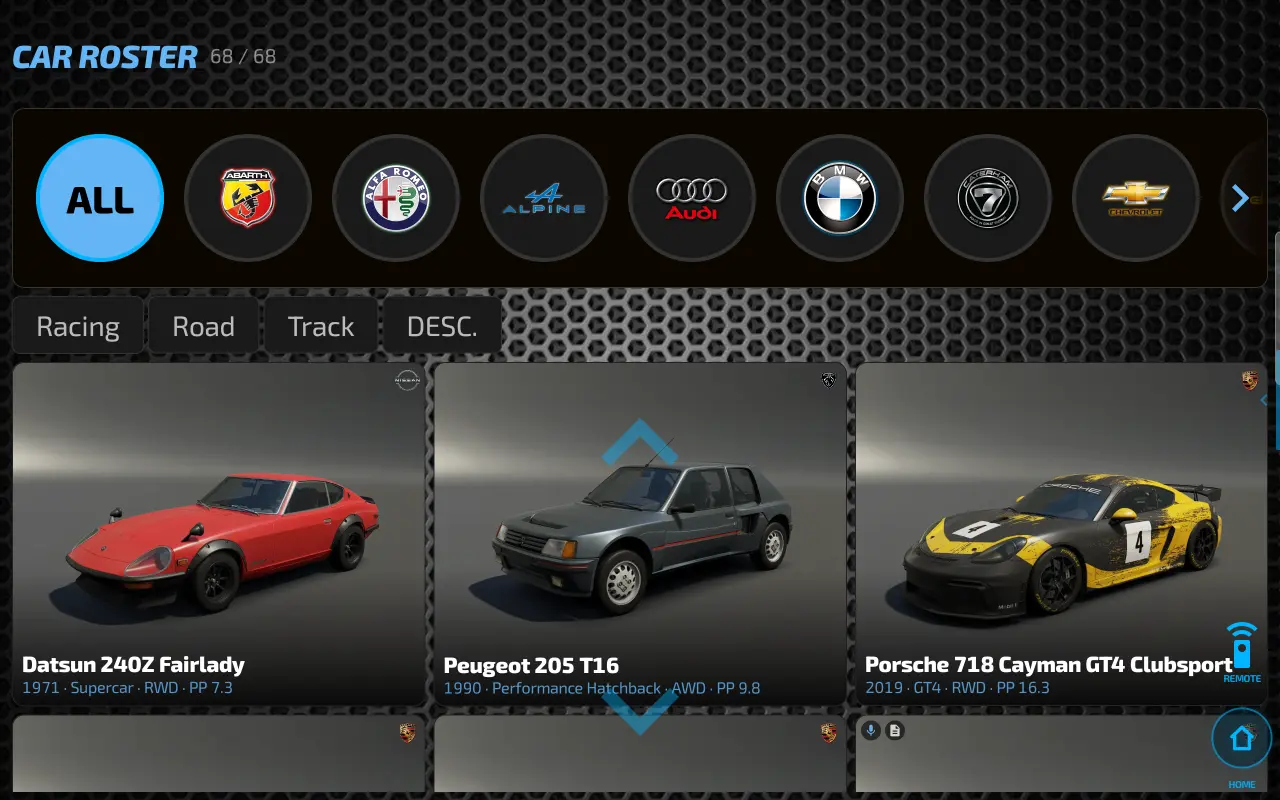
Know every car and track
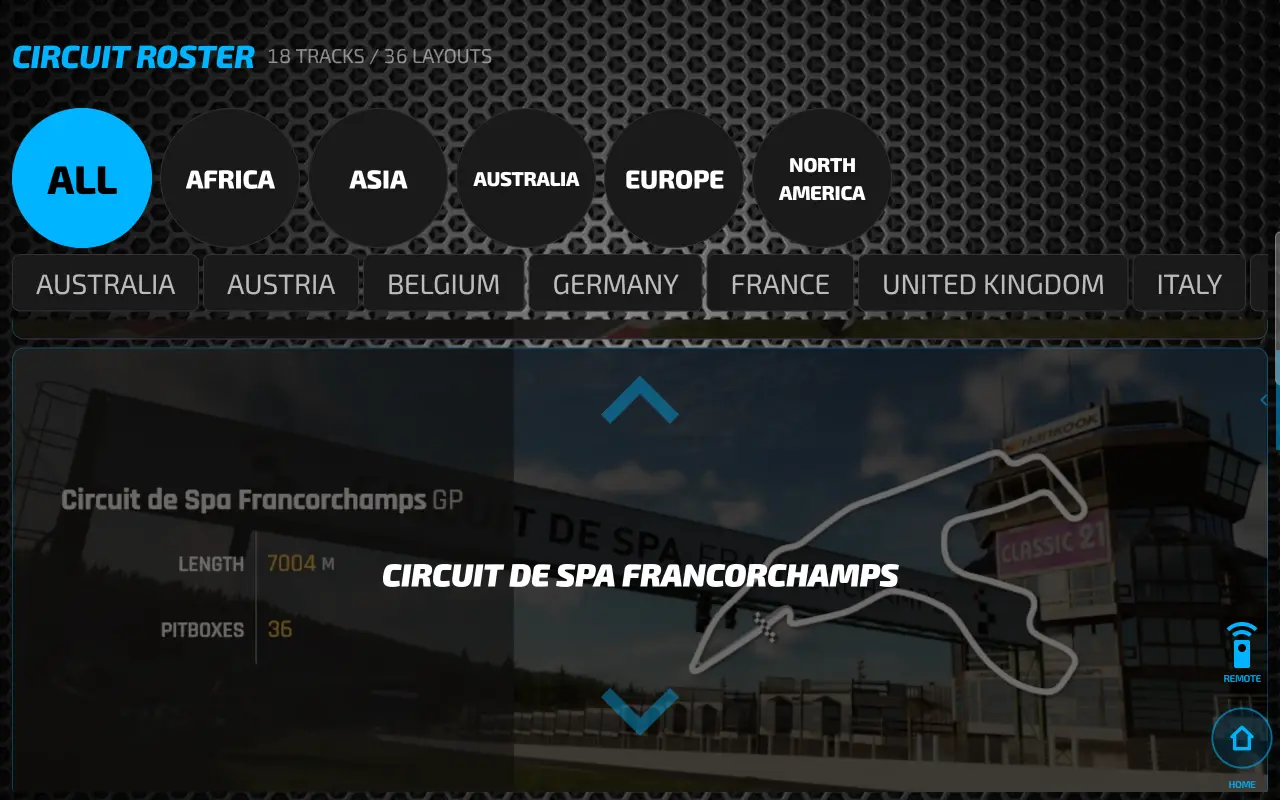
Browse the full car roster with specs, class and drivetrain by manufacturer, and a complete circuit roster with track outlines and layouts — all offline, all on your device.
Built around you
Fluid, pixel-perfect layouts across every device, with performance that adapts to the hardware you're actually running.
Adaptive Layouts
Fluid, pixel-perfect scaling across phones and tablets of every aspect ratio.
Ignition Integration
High-contrast "powered down" visuals when the car is off, transitioning to vivid color as the engine fires.
Total Persistence
Every setting is remembered, from dashboard mode to your last-viewed widget.
Smart Performance Detection
DPM watches your dashboard's live frame rate. Drop below 30 FPS and a one-tap prompt switches you to lighter graphics; running smooth on capable hardware gets offered the upgrade instead.
Set up once, on first launch
A guided setup walks you through choosing your profile — and every automation the dashboard offers can be tuned to taste from there.
Balanced out of the box — the right starting point for most devices.
Trimmed for smooth, stable performance on lower-end devices.

DPM's advanced profile for high-end devices — unlocks the full graphical experience and more, beyond just graphics.
Choose your own startup screen too — launch straight into MapScott, the Button Box, ButtonRowe, the Dashboard, or Flags.
One app, many grids
DPM started with Assetto Corsa Evo — its flagship title — and keeps expanding.

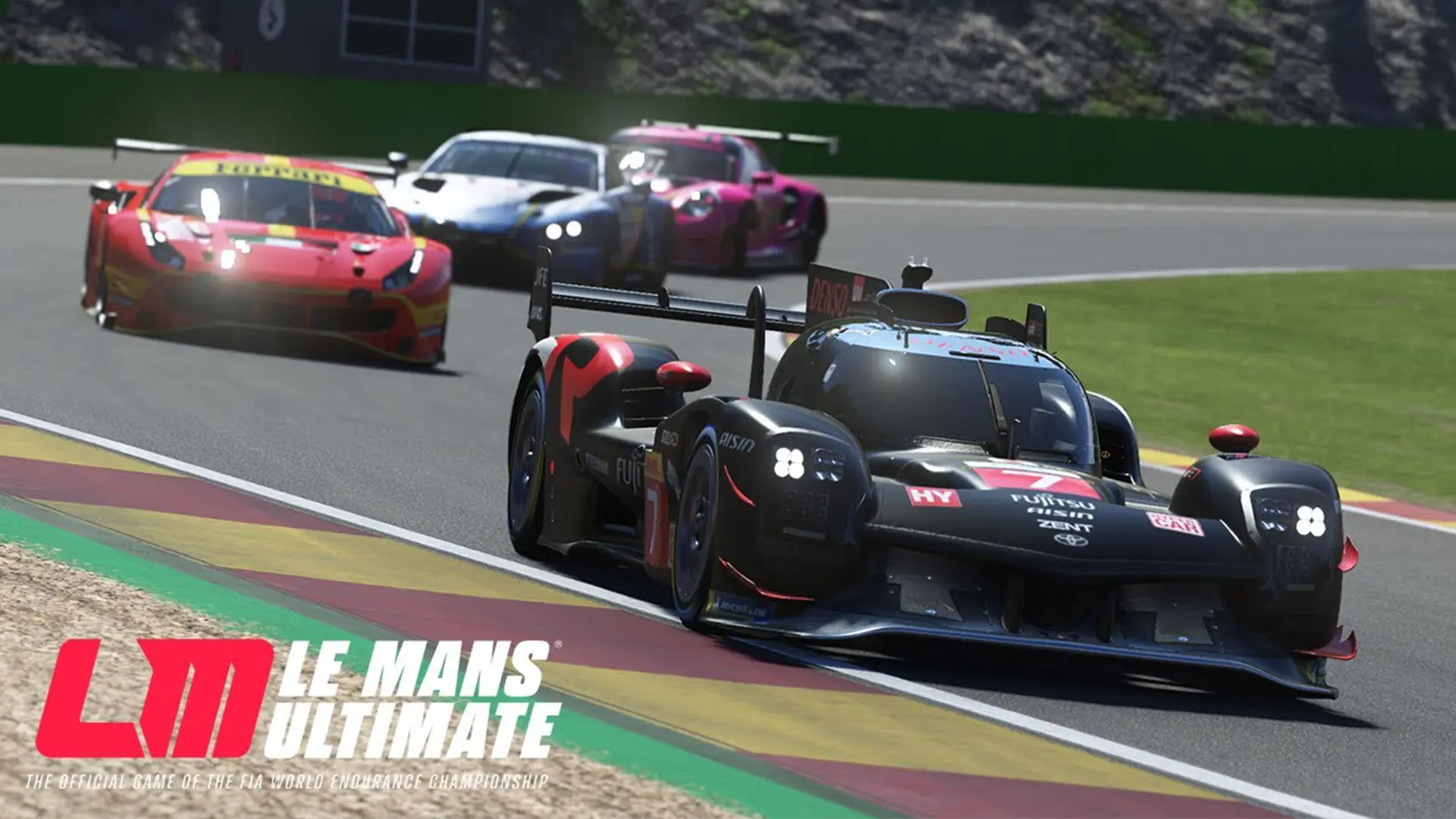
More sims on the way.
Download DPM Agent
Get the app to start. Add the free DPM AGENT User Edition on your PC for live telemetry and controls.
DPM Agent User Edition
The free Windows companion. Install it on the machine you race on.
Download for Windows Scan for the PC downloadDPM ADAPTIVE BB app
Coming soon on
The tablet & phone app. Debug build for testers — download and install the APK today. Scan the code to download on the device.
Download APK
Coming soon
Enable install from unknown sources when prompted.
Scan to download on the device